Smart promotional links for vacation rentals

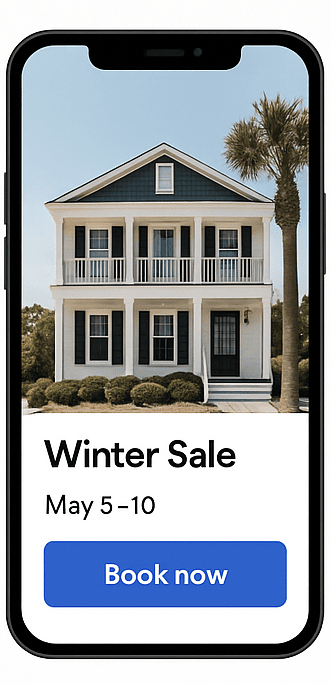
A link with dates and price, ready to share by WhatsApp or email.
Get Started Now
Promotional Links
Promo links

Share smarter, fill faster

Stop sending generic booking links. With Bookinghook, you can generate custom links for each promotion — pre-filled with dates, discounts, and special messages. Share them anywhere, track performance, and fill availability faster.

Promotional Links Demo

Why Hosts Love It

Custom Links for Every Offer

Create targeted booking links for specific dates, discounts, or add-ons — perfect for repeat guests and last-minute offers.

Track What Works

See exactly which links convert best with automatic source tracking and simple booking analytics.

Fully Integrated

No extra tools needed. Promotional links work seamlessly with Bookinghook’s calendar, payments, and messaging.

“Great reservation tool. Everything has been thought of and very easy to set up.”
Rachel
Owner Holiday home Zand7
Vakantiehuis Zand7

How It Works

1

Create a Custom Link

From your dashboard, choose a property, pick the dates to promote, add a discount or message, and generate your link.

2

Share Anywhere

Paste your link in emails, social media posts, DMs, or Facebook groups — wherever your guests are.

3

Track Bookings

See which links perform best with automatic tracking and booking source analytics.

Perfect For

Last-minute cancellations

Returning guest offers

Social media and Facebook groups

Special promotions in your email list

Questions

Frequently asked questions

How do I create a promotional link?
Log in to your Bookinghook dashboard, select your property and dates, add any offer or add-ons, and click "Generate Link". Then copy and share.
Can I see how many bookings come from each link?
Yes. We automatically track the source of each booking so you can measure performance and refine your strategy.
Do promotional links support all payment methods?
Yes. Links work with all supported payment gateways like Stripe and Mollie — with the same secure, seamless experience.
Can I expire or disable a link?
Absolutely. Set an expiration date or manually disable links anytime from your dashboard — ideal for time-limited deals.
Can I customize the message on the booking page?
Yes. Add a special note or callout to highlight your promotion and make your message stand out on the booking page.

Ready to fill more bookings?

Don’t let nights go unbooked. Use smart promotional links to fill gaps, boost revenue, and grow direct bookings today.

Get Started Now